Jzaas

Jzaas for Android apps, games, video editors, APK information, installation guides, app features, compatibility details, and the latest 2026 updates.
Jzaas
This App is a platform for discovering useful Android apps, games, video editors, camera applications, and other digital tools. Our goal is to make app discovery easier by bringing useful information, features, compatibility details, guides, and installation resources together in one convenient place.
Whether you are searching for an Android app, exploring a new game, looking for a video editing tool, or trying to understand how an APK works, Jzaas provides straightforward information to help you make an informed choice. We focus on practical content that explains what an application does, what users should know before installing it, and how to get started.
Our content is designed for everyday Android users as well as people who regularly explore new apps and creative tools. From popular video editors and camera applications to games and utility apps, Jzaas aims to keep its content organized and easy to navigate.
What Is Jzaas?
Jzaas is an app and digital-content discovery platform focused primarily on Android applications, games, creative tools, and helpful app guides. Instead of presenting only a download option, Jzaas aims to give visitors useful context about the applications they are interested in.
An app page can include information such as its main purpose, features, version, compatibility, installation requirements, and related guides. This allows visitors to understand an application before deciding whether it fits their needs.
The Jzaas app search can also refer to different types of applications and resources associated with the Jzaas name. For this reason, it is important to identify the specific app or product being discussed and check its available information before installing anything.
Jzaas also covers topics that help users understand Android applications more effectively. These include APK installation guides, app comparisons, feature explanations, troubleshooting information, and updates about newer versions.
What You Can Find on Jzaas
Jzaas brings several types of Android-related content together, including:
- Android applications and useful tools
- Mobile games and gaming resources
- Video editing applications
- Camera and photography apps
- AI and creative applications
- App features and how-to guides
- APK installation information
- Version and compatibility details
- App updates and related news
The purpose is simple: help visitors find relevant information without having to search through multiple unrelated pages.
Who Can Use Jzaas?
Jzaas is designed for anyone interested in discovering and learning more about Android applications and games. It can be useful for casual users searching for a particular app, gamers looking for new titles, creators exploring video editors, and Android users who want to understand APK installation.
If you are researching an application before installing it, the information available through Jzaas can help you look at important details such as compatibility, features, version information, and installation requirements.
Explore Apps, Games & Creative Tools
Jzaas covers several categories so visitors can quickly find content that matches their interests. Each category focuses on a different type of application or digital experience.
Android Apps
Android apps can help users communicate, work, learn, create content, manage files, customize their devices, and perform many other everyday tasks. Jzaas covers different types of applications and provides information designed to make app discovery easier.
When exploring an Android app, it is useful to consider its purpose, available features, developer information, version, file size, Android requirements, and update history. These details can help you determine whether an application is appropriate for your device.
Android Games
The Jzaas game category focuses on mobile gaming and related Android content. Games can range from racing and simulation titles to sports, action, strategy, and casual games.
Jzaas game-related content can include information about gameplay, features, compatibility, installation requirements, and updates. Before installing a game, users should also consider available storage, Android compatibility, and whether the game requires an internet connection.
Video Editors
Video editing has become an important part of mobile content creation. Modern Android video editors can provide tools for trimming clips, combining videos, adding text, applying effects, adjusting audio, and preparing content for social platforms.
Jzaas covers video-editor topics to help users understand different editing applications and their capabilities. When comparing a video editor, useful factors include editing tools, export options, supported formats, device compatibility, and the type of content the application is designed to create.
Camera Apps
Camera applications can extend the photography and filmmaking capabilities available on an Android device. Depending on the application, users may find manual controls, filters, portrait tools, image-processing features, or additional recording options.
Jzaas camera-related content explains these applications in an accessible way and helps readers understand their intended use before installation.
AI & Creative Apps
AI-powered and creative applications are becoming increasingly common on mobile devices. These tools can assist with image creation, photo editing, video production, writing, productivity, and other creative workflows.
Jzaas provides information about relevant AI and creative applications while focusing on practical details that users can understand and apply.
Whether you are searching for an Android app, Jzaas game, video editor, camera application, or creative tool, the goal is to make the information easier to discover and understand.
Jzaas Video Editor
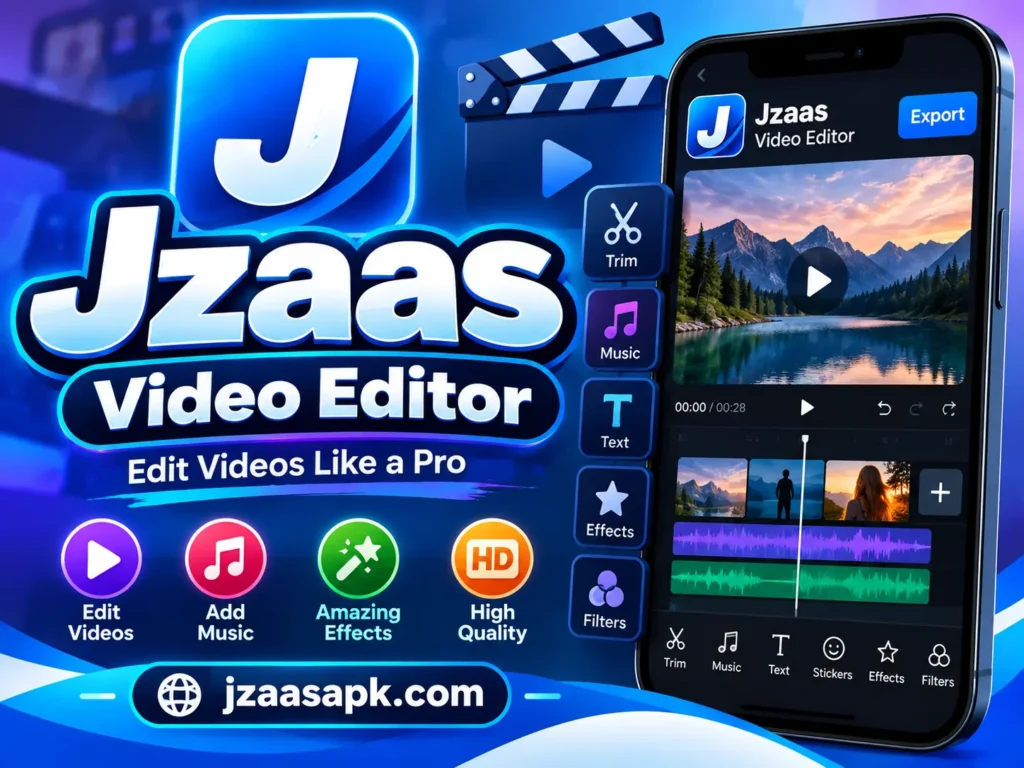
Video editing on Android has become more accessible, with mobile applications offering tools for creating and editing videos directly from a phone. When people search for Jzaas video editor, they may be looking for information about a video-editing application, its workflow, features, availability, or installation process.
Jzaas provides information intended to help users understand video-editing applications before they install or use them. Instead of focusing only on a download, it is useful to look at what an application is designed to do, which devices it supports, what version is available, and whether its features match your editing needs.
Because different applications can have similar names, users should always confirm the exact app name, developer, version, and source before downloading an application.
Jzaas Video Editor App
The term Jzaas video editor app can refer to searches related to video-editing software associated with the Jzaas name. Before using or installing any application, users should verify the identity of the specific app and review its available information.
A useful video-editing app may provide tools for basic editing, such as trimming clips, joining videos, adding text, adjusting audio, applying effects, or preparing content for sharing. The exact tools vary from one application to another, so feature information should be checked against the relevant app listing or documentation.
Jzaas can help users explore video-editor-related content and understand the important factors involved in choosing an editing application.
What to Look for in a Video Editor
When comparing a mobile video editor, consider the following:
- Basic trimming and cutting tools
- Video and audio editing options
- Text and caption support
- Filters and visual effects
- Transitions
- Export quality and formats
- Device performance requirements
- Storage requirements
- Watermark or account requirements
- Availability of free and premium features
These factors can make a significant difference depending on whether you are creating short social-media clips, personal videos, tutorials, or longer projects.
Android Compatibility
Before installing a video editor, check whether your Android version and device meet the application’s requirements. More advanced editing tools can require additional processing power, memory, and storage.
It is also useful to check the application’s current version and update information. An older APK may not work correctly on newer Android versions, while a newer release may introduce different requirements or features.
Jzaas Video Editor 2026
The search term Jzaas video editor 2026 indicates an interest in current information rather than an outdated version or older guide. App information can change over time, so users should check the latest available version, compatibility details, features, and installation requirements.
When reviewing an application in 2026, Jzaas content should distinguish between current information and information from previous releases. This helps readers understand whether a feature, version, or requirement is still relevant.
Users should also avoid assuming that an application is official simply because its name contains the Jzaas keyword. The exact developer, app listing, and source should always be checked.
Jzaas APK
An APK is the Android application package format used to distribute and install applications outside the normal app-store installation process. People searching for Jzaas APK may be looking for an Android application package, version information, installation instructions, or information about a particular app.
Before downloading an APK, it is important to identify the exact application and verify details such as:
- Application name
- Developer
- Version
- File size
- Android requirements
- Update date
- Permissions
- Source of the APK
Jzaas-related APK information should be treated as specific to the application being discussed. The name alone should not be used as proof that a file is official or safe.
Jzaas APK Version Information
Version numbers help users determine whether they are looking at a recent release or an older package. When available, an app page should clearly identify the version being discussed and distinguish it from previous versions.
Keeping version information clear is especially important when multiple APK files or older download pages exist online.
Jzaas APK File Details
Before installing an APK, users should review its basic file information. This can include the package size, Android compatibility, developer information, version number, and available update details.
A significant difference between the information displayed on an APK page and the file obtained from another source can be a reason to stop and verify the package before installation.
Jzaas APK Download
If you are searching for a Jzaas APK download, start by identifying the exact application you need. Do not rely solely on the keyword or filename.
A responsible download process involves checking the application name, version, developer, Android compatibility, and source before opening the file.
If an official distribution channel is available for the application, users should consider that option first. When using an APK from another source, additional care is appropriate because third-party files may not have the same verification process as applications distributed through official stores.
Things to Check Before Installing an APK
Before opening an APK file:
- Confirm the application name.
- Check the developer or publisher.
- Compare the version information.
- Review Android compatibility.
- Check the file size.
- Consider the requested permissions.
- Make sure the source is trustworthy.
- Keep your Android device and security software updated.
These simple checks can reduce the chance of installing an incompatible or unexpected application.
How to Download & Install APKs From Jzaas
Installing an APK can be straightforward, but users should understand each step before proceeding. The exact process can vary depending on the Android version and device manufacturer.
Find Your App
Start by finding the specific application you are interested in. Confirm that the name and application identity match what you intended to download.
Open the App Information Page
Review the available information before downloading. Look for the version, file size, Android requirements, developer information, and other relevant details.
Check Version & Compatibility
Make sure the APK is suitable for your Android version and device. If the requirements are unclear, look for additional information before continuing.
Tap the Download Option
If you decide to download the APK, use the appropriate download option provided on the relevant page. Avoid clicking unfamiliar advertisements, pop-ups, or unrelated download buttons.
Prepare Your Android Device
Depending on your Android version and device settings, installing an APK from outside an official app store may require permission for that source. Only enable such permissions when you understand where the file came from and trust the source.
Open the APK File
After the download finishes, locate the APK in your device’s downloads or file manager. Check that the filename and file information correspond to the application you intended to install.
Install the Application
Follow Android’s installation prompts. If the device reports that the package is incompatible, corrupted, blocked, or otherwise unexpected, stop the installation and investigate the issue instead of bypassing the warning without understanding it.
Open & Check the Application
After installation, open the application and check that it behaves as expected. Review permissions and settings and remove the application if it does not match what you intended to install.
What to Do If APK Installation Fails
Common installation problems can include:
- Android version incompatibility
- Insufficient storage
- Damaged or incomplete APK
- Conflicting versions already installed
- Incorrect package architecture
- Installation restrictions
- An APK that is not intended for the device
Checking the application’s requirements and obtaining the correct version can often help identify the problem.
Jzaas CapCut APK
CapCut is widely associated with mobile video editing, so searches such as Jzaas CapCut APK can indicate that users are looking for CapCut-related information through the Jzaas platform. However, the name of a website or search query should not automatically be interpreted as evidence of an official relationship between Jzaas and CapCut.
When exploring a CapCut-related APK, users should identify the exact application, developer, version, and source before downloading or installing anything.
What Does Jzaas CapCut APK Mean?
The phrase Jzaas CapCut APK combines the Jzaas and CapCut keywords with Android’s APK format. Searchers may be looking for a download, an app guide, information about a particular version, or an explanation of CapCut-related applications.
The safest way to understand such a search is to identify the specific application being discussed rather than relying only on the filename or keyword.
Jzaas can provide informational content around these searches while keeping the distinction between an official application and a third-party APK clear.
Jzaas CapCut Pro
The term Jzaas CapCut Pro may be used by people searching for premium or advanced CapCut-related functionality. “Pro” can have different meanings depending on the application or source, so users should check exactly what product or version a page is describing.
When evaluating a Pro or premium APK, consider:
- The exact application name
- Developer or publisher
- Version number
- Available features
- Android compatibility
- File size
- Required permissions
- Source of the APK
- Whether the application is official or modified
A page should not describe a third-party APK as an official CapCut product unless that relationship can be verified.
Jzaas CapCut App Download APK
If you are searching for Jzaas CapCut app download APK, first determine which application the search refers to. Check the app identity and available information before downloading a package.
A reliable process includes checking the version, Android requirements, file details, developer information, and source. Users should also be cautious with APK pages that make unsupported claims about premium features, unlimited access, or modified functionality.
Official Apps vs Third-Party APKs
Official applications and third-party APK packages are not necessarily the same thing. An application obtained from an official store may have a different distribution process from a package hosted by an independent website.
Before installing a third-party APK, users should consider where it came from and whether its information matches the original application’s details.
Jzaas App Information
Good app information should answer the basic questions a visitor has before installing or using an application. Jzaas aims to organize this information in a straightforward format so readers can understand an app without having to search through multiple sources.
App Name
The exact application name should be clearly identified. Similar names can refer to completely different applications, so checking the name is an important first step.
Version
Version information helps users determine which release they are viewing. If multiple versions exist, the page should distinguish the current version from older releases.
File Size
APK and application sizes can vary between versions. Knowing the approximate file size can help users make sure they have enough storage available before downloading.
Android Compatibility
Android applications can have different minimum-version requirements. Compatibility information helps users determine whether an application is likely to work on their device.
Developer Information
Where reliable information is available, identifying the developer or publisher can help users distinguish between similarly named applications.
Features
Features should be described clearly and factually. Important functions can include editing tools, gameplay systems, customization options, productivity tools, or other capabilities depending on the application.
Update Information
Application information can change as new versions are released. Updated pages should clearly distinguish newer information from details that belong to older versions.
Installation Information
Where relevant, Jzaas pages can explain installation requirements and provide general guidance for Android users.
Related Guides
Related articles can help readers understand an application’s features, installation process, compatibility, troubleshooting steps, and alternatives.
How We Review Apps & Games
A useful app website should do more than repeat an application’s name and download information. Jzaas content should focus on providing practical information that helps readers understand what they are considering.
App Information
We look at available information about the application, including its name, version, developer, platform, and other relevant details.
Features
Features should be explained based on available information rather than exaggerated claims. Readers should be able to understand what an application is designed to do.
Compatibility
Compatibility is important because an application that works on one Android device may not work properly on another. Where information is available, we highlight relevant Android requirements.
Version & Updates
Current information is separated from older versions when possible. This is particularly important for users searching for Jzaas video editor 2026 or other current-year information.
Usability
Where appropriate and where sufficient information is available, we consider how easy an application is to understand and use. The focus is on practical aspects rather than unsupported ratings.
Limitations
Every application has limitations. Jzaas content should mention relevant restrictions, requirements, premium features, compatibility issues, or other limitations when they are known.
Update Process
App information can become outdated as developers release new versions. Pages should therefore be reviewed and updated when meaningful changes occur.
Jzaas App Reviews & Guides
Jzaas content can cover more than basic app descriptions. Our broader goal is to provide useful resources for people researching Android applications and games.
App Reviews
Detailed explanations of an application’s purpose, features, compatibility, and important considerations.
Installation Guides
Step-by-step information for installing applications and understanding common Android installation issues.
Feature Guides
Articles explaining specific functions, tools, settings, and workflows.
Version Updates
Information about meaningful changes between application versions when reliable details are available.
Troubleshooting Guides
Practical explanations for common problems such as installation errors, compatibility issues, storage limitations, or application crashes.
Video Editor Guides
Content focused on mobile video editing, including editing workflows, tools, effects, export options, and related applications.
Game Guides
Information that helps players understand games, requirements, features, controls, and installation considerations.
Jzaas 2026 – Latest App & Game Information
Applications and games change regularly, so current information matters. Jzaas 2026 content focuses on keeping important app information relevant as new versions, updates, and releases become available.
When reviewing current information, readers should pay attention to:
- Latest available version
- Update date
- Android compatibility
- File size
- New features
- Changed requirements
- Installation information
- Availability
The year 2026 should represent genuinely current information rather than simply being added to an old page title. When an application’s information changes, the relevant page should be updated rather than creating multiple duplicate pages for the same topic.
This approach is particularly useful for searches such as Jzaas video editor 2026, Jzaas APK video editor 2026, and Jzaas APK video editor download 2026.
Why Explore Apps Through Jzaas?
Jzaas is designed to make app and game information easier to discover and understand.
Organized App Information
Relevant details can be presented in a consistent structure, making it easier to compare important information.
Easy-to-Follow Guides
Step-by-step guides can help Android users understand installation processes, features, and common problems.
Apps & Games in One Place
Visitors can explore different categories without limiting the website to one type of application.
Video Editor Resources
Video creators can find information about mobile editing applications and related tools.
Version & Compatibility Information
Checking versions and Android requirements can help users make better-informed installation decisions.
Regularly Updated Content
Current information is important in the Android app ecosystem. Pages should be refreshed when meaningful changes occur.
Understanding APK Files on Android
An APK, or Android Package Kit, is a file format used to distribute and install Android applications. While Android users commonly install applications through official app stores, APK files can also be distributed through other channels.
Understanding how APK files work can help users make more informed decisions.
What Is an APK?
An APK contains the components needed to install an Android application. The package can include the application’s code, resources, configuration information, and other required files.
APK vs Google Play Installation
Installing an application through Google Play and installing an APK manually can involve different processes. Official app stores generally handle downloading and installation automatically, while manual APK installation requires the user to obtain and open the package.
Why APK Versions Matter
Different APK versions may have different features, requirements, or compatibility. Using an outdated package can lead to compatibility problems or missing functionality.
Checking Android Compatibility
Before installation, check whether the package supports your Android version and device architecture where that information is available.
Checking the APK Source
The source of an APK is an important consideration. Users should understand where a file came from and avoid installing packages from sources they do not trust.
Installing an APK
Android may require users to approve installation from a source other than the standard app store. Only enable permissions when you understand the source and have intentionally chosen to install the package.
Updating or Removing an APK
When a newer version becomes available, users should understand whether it can be installed over the existing version. If an application causes problems or is no longer needed, it can generally be removed through Android’s application settings.
Frequently Asked Questions About Jzaas
What Is Jzaas?
Jzaas is a platform focused on Android apps, games, video editors, creative tools, and related guides and information.
What Is the Jzaas App?
The term Jzaas app can refer to searches involving applications associated with the Jzaas name. Users should identify the exact application, developer, and source before installing it.
What Is Jzaas APK?
Jzaas APK refers to an Android application package associated with a particular Jzaas-related app or search. The exact application should be verified before downloading.
What Is Jzaas Game?
Jzaas game refers to game-related searches associated with the Jzaas keyword. The specific game should be identified before installation.
What Is Jzaas Video Editor?
Jzaas video editor is a search term associated with video-editing content and applications. Because similar names can refer to different products, users should verify the exact app and developer.
What Is Jzaas Video Editor App?
It refers to searches for an application or resource associated with Jzaas and video editing. The exact app identity should be confirmed before downloading.
Is Jzaas Video Editor Available in 2026?
Availability and version information can change. Users should check the latest verified application information, compatibility, and source before installation.
How Do I Download Jzaas APK?
First identify the exact application, then check its version, developer, Android requirements, file information, and source before downloading or installing an APK.
What Is Jzaas CapCut APK?
It is a search phrase combining Jzaas, CapCut, and the Android APK format. The exact application and its relationship to the brands involved should be verified before installation.
What Is Jzaas CapCut Pro?
This search term may refer to a Pro or premium CapCut-related APK or resource. Users should verify whether the product is official or third-party before downloading it.
Can I Install an APK on Android?
Android supports APK installation, although the exact process and security settings vary by Android version and device. Users should only install packages from sources they trust.
How Do I Check Whether an APK Is Compatible?
Check the APK’s Android requirements, architecture where applicable, version information, and available developer or publisher details before installing it.
What Makes Jzaas Useful for Android Users?
Finding an application is only one part of the process. Users also need to know what an app does, whether it supports their device, which version they are viewing, and what to expect before installation.
Jzaas brings these types of information together in a structured format. Instead of focusing only on download-related searches, the website also provides app explanations, feature information, installation guides, troubleshooting resources, game content, and video-editor information.
The goal is to make the information easier to understand for both experienced Android users and people who are less familiar with APK files and mobile applications.
Clear App Information
Each application can be approached through practical information such as its purpose, features, version, compatibility, and installation requirements. This helps visitors understand the application before deciding what to do next.
Useful Guides
Step-by-step guides can make complicated processes easier to follow. From understanding APK files to troubleshooting installation problems, useful instructions can save users time and help them avoid common mistakes.
Different Types of Content
Jzaas is not limited to one category. Visitors can explore Android apps, games, video editors, camera tools, AI applications, and other creative or utility resources.
Current Information
The Android ecosystem changes quickly. Versions, requirements, features, and availability can change over time. Keeping important pages updated helps visitors find information that is more relevant to the current year.
Jzaas and the Android App Experience
Android gives users many ways to discover and use applications. Official app stores provide a convenient installation experience, while APK files can provide another distribution method.
Regardless of how an application is obtained, users should understand what they are installing. Checking the application name, developer, version, compatibility, permissions, and source is an important part of responsible app installation.
Jzaas aims to support this process by providing information that helps users research applications and understand the steps involved.
Whether someone searches for Jzaas APK, Jzaas game, Jzaas video editor, or another Android-related topic, the most useful approach is to identify the exact application and review its available information before installation.
Stay Updated With Jzaas
New applications, games, editing tools, and Android updates appear regularly. Jzaas can continue expanding its library with new guides and refreshed information as the app ecosystem changes.
Visitors can explore the latest posts to discover recently covered applications, while dedicated category pages make it easier to find content related to specific interests.
For video creators, this can include video-editor resources and creative applications. Jzaas for gamers, it can include Android games and related guides. This App for general Android users, it can include utilities, cameras, AI tools, and installation resources.
The emphasis remains on useful and understandable information rather than simply publishing large numbers of pages.
Explore Jzaas Categories
If you are looking for something specific, start with the category that matches your interest:
- Apps: Discover Android applications and useful tools.
- Games: Explore Android games and gaming-related information.
- Video Editors: Learn about mobile video-editing applications and workflows.
- Camera Apps: Explore photography and mobile filmmaking tools.
- AI & Creative Apps: Discover applications designed for creative and productivity-focused tasks.
- Guides: Find installation, troubleshooting, feature, and how-to resources.
These categories also make it easier to move from a general search to more specific app information.
Conclusion
Jzaas is built around a simple idea: make Android app and game information easier to discover, understand, and use.
From Jzaas APK information and Android games to video editors, camera applications, creative tools, and installation guides, the platform brings different types of mobile content together in one organized environment.
For searches such as Jzaas, Jzaas app, Jzaas game, and Jzaas video editor, visitors can explore relevant information and then review important details such as features, compatibility, versions, and installation requirements.
When an APK is involved, users should always identify the exact application and verify its source before installing it. App names can sometimes be similar, and third-party packages should not automatically be assumed to be official.
Jzaas will continue to focus on useful guides, organized app information, current updates, and practical resources for Android users.